
I’ve spent years helping teams secure software-as-a-service tools, from CRM platforms to collaboration suites. So let’s get clear on what is SaaS security. It is the set of people, processes, and controls that protect data inside cloud apps like Google Workspace, Microsoft 365, Salesforce, Slack, and hundreds more. If you use cloud apps, you need SaaS security to keep data safe, users protected, and your business running. This guide breaks it down in plain language with real examples you can use today.

Source: www.reco.ai
What Is SaaS Security?
SaaS security is how you protect your data, users, and configurations across cloud-based apps you do not host. You manage identities, access, settings, and data flows, while the provider secures the platform itself. Think of it like renting a safe deposit box: the bank protects the vault, but you control the key, who can open it, and what goes inside.
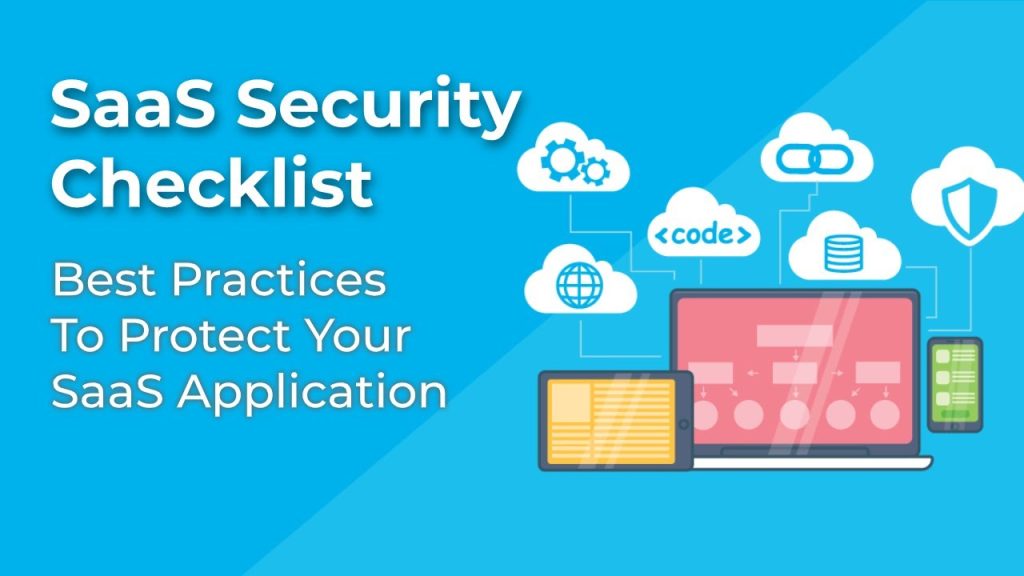
Good SaaS security covers identity and access management, data protection, configuration hardening, continuous monitoring, vendor risk, and compliance. It blends policy, technology, and training. When done well, it feels simple for users and strong against threats.
Why SaaS Security Matters Now
SaaS apps hold core business data, from contracts to customer profiles. Attackers know this. Common risks include account takeovers, misconfigurations, phishing, insider misuse, and risky third-party integrations. A single weak OAuth token can expose thousands of records.
Modern work spreads across many apps and devices. Shadow IT grows as teams adopt tools fast. Laws like GDPR and CCPA raise the stakes for data misuse and breaches. This is why SaaS security is a must-have, not a nice-to-have.
Core Pillars Of SaaS Security
– Identity and access management: Use SSO, MFA, least privilege, role-based access, and conditional access to control who gets in and what they can do.
– Data protection: Encrypt data at rest and in transit, apply DLP rules, classify data, and set sharing controls.
– Configuration hardening: Secure tenant settings, disable risky defaults, restrict external sharing, and audit admin roles.
– Monitoring and response: Log access, alert on unusual behavior, and have a playbook for account takeover and data leaks.
– Vendor and app ecosystem risk: Review SaaS vendors, third-party app permissions, OAuth scopes, and marketplace integrations.
From experience, most incidents I’ve seen started with weak MFA, broad admin rights, or open sharing links. Tightening these pillars shuts many doors fast.
Best Practices You Can Apply Today
– Turn on SSO and MFA for all users: This blocks many phishing and credential stuffing attacks.
– Enforce least privilege: Use roles, time-bound access, and just-in-time elevation for admins.
– Lock down sharing: Restrict public links, set org-wide defaults to private, and allow external sharing by exception.
– Use data loss prevention: Create rules for sensitive data like PII, PCI, and health data; monitor and coach rather than only block.
– Audit third-party apps: Review OAuth permissions, remove unused apps, and whitelist approved integrations.
– Enable session controls: Limit session length, require re-auth for sensitive actions, and block impossible travel.
– Back up critical SaaS data: Provider redundancy is not the same as your recovery. Use backups for email, files, and records.
– Train users with real examples: Show what a consent screen looks like, how MFA prompts should appear, and how to report phishing.
These steps are quick wins. I’ve rolled them out in weeks and cut incidents by more than half.
The Shared Responsibility Model Explained
In SaaS, the provider secures the platform, data centers, and core infrastructure. You secure identities, data, devices, and tenant settings. Many teams assume the vendor covers everything. They don’t. Your responsibilities include:
- User lifecycle: Provisioning, deprovisioning, and offboarding.
- Access governance: Reviews, approvals, and revocations.
- Policy and data: DLP, retention, and legal holds.
- Monitoring and response: Alerting, forensics, and reporting.
When I mapped this model with one client, gaps became clear: no process to remove access for contractors and no alerts for mass downloads. Fixing those two issues reduced risk fast.
Compliance, Privacy, And Legal Basics
Your SaaS security should align with rules that fit your industry and region. Common frameworks include SOC 2, ISO 27001, and industry laws for privacy and finance. Look at data residency, cross-border transfers, and subject rights requests.
Key steps:
- Data inventory: Know what data each app stores, where it lives, and who can access it.
- Vendor due diligence: Review audits and security claims. Confirm encryption, incident response, and breach notification terms.
- Retention and deletion: Set policies for how long to keep data and how to delete it safely.
- Access logs: Keep records for audits and investigations.
These controls support trust with customers and partners and help avoid fines.
A Practical Roadmap To Build Your SaaS Security Program
– Step 1: Make a SaaS inventory. List all apps, owners, user counts, data types, and risk.
– Step 2: Centralize identity. Move to SSO, enforce MFA, and standardize roles.
– Step 3: Harden configurations. Apply secure baselines per app, then review quarterly.
– Step 4: Control data. Enable DLP, classification, and safe sharing defaults.
– Step 5: Monitor and respond. Turn on logs, set alerts for key events, and test runbooks.
– Step 6: Govern third-party apps. Approve apps, review scopes, and remove risky tokens.
– Step 7: Train and simulate. Phishing tests, OAuth consent drills, and admin tabletop exercises.
– Step 8: Measure and improve. Track metrics and close gaps in sprints.
Run this as a joint effort across security, IT, and app owners, with clear milestones and owners.
Personal Lessons, Mistakes To Avoid, And Tips
From my own projects, three patterns stand out. First, don’t roll out policies without context. I once blocked all external sharing overnight; sales stalled, and people found workarounds. We switched to “private by default” plus an easy, approved exception path. It stuck.
Second, do not hand out permanent admin rights. Use just-in-time elevation and logs tied to tickets. This curbs risky changes and helps during audits. Third, review OAuth apps monthly. I’ve removed dozens of stale apps with broad read permissions that no one used.
Quick tips that work:
- Start with top three apps by data sensitivity, not by user count.
- Pair every control with change support and a help guide.
- Celebrate near-misses. Share wins when alerts stop a bad login or mass download.
Key Metrics To Track
– MFA coverage: Percent of users and admins with MFA enforced.
– Orphaned accounts: Users active in SaaS after HR separation.
– Excess privileges: Number of global admins and privileged roles.
– Third-party risk: Count of high-scope OAuth apps and approvals per month.
– Data exposure: Public links created, external shares, and DLP incidents.
– Mean time to revoke: How fast you remove risky access.
Keep metrics simple and visible. If a number cannot drive action, drop it.
Tools And Technologies That Help
– Identity and access: SSO, MFA, conditional access, and passwordless options.
– SaaS posture management: Tools that scan settings, roles, and permissions across apps and flag risks.
– CASB and DLP: Discover shadow IT, inspect data flows, and enforce safe sharing.
– EDR and device posture: Check device health before granting access to sensitive data.
– Backup and recovery: Independent backups for emails, files, and records.
Choose tools that integrate with your identity provider and key SaaS platforms. Start with visibility, then add control.
Frequently Asked Questions Of What Is SaaS Security
Q. Is SaaS Security Different From Cloud Security?
Yes. Cloud security is a broad term for protecting cloud workloads and services. SaaS security focuses on data, users, and settings inside third-party apps you subscribe to.
Q. What Is The Biggest SaaS Security Risk?
Account takeover. Attackers phish users, bypass weak MFA, or steal tokens. Reduce risk with strong MFA, conditional access, and alerting on unusual behavior.
Q. Do I Need Backups If My SaaS Vendor Has Redundancy?
Yes. Redundancy protects uptime, not your version history or deleted content. Independent backups help you recover from mistakes, insider actions, or ransomware.
Q. How Do I Secure Third-Party Integrations?
Review OAuth scopes, approve only trusted apps, use least privilege, and remove unused tokens. Monitor high-risk actions like mass reads, exports, or deletes.
Q. Which Compliance Frameworks Apply To SaaS?
Common ones include SOC 2 and ISO 27001. Privacy laws like GDPR and CCPA may apply depending on your data and users. Map controls to your risk and region.
Q. What Is Zero Trust In SaaS?
It means never assume trust by network location. Verify user, device, and context each time and grant only the minimum access needed.
Conclusion
SaaS powers modern work, but it also expands your attack surface. You now know what is SaaS security and how to apply it: secure identities, protect data, harden settings, monitor activity, and govern vendors. Start with quick wins like SSO, MFA, safe sharing defaults, and an app inventory. Build from there with a clear roadmap and simple, useful metrics.
Take one step today. Pick your most critical app, review admin roles, enable stronger MFA, and remove risky OAuth tokens. Want more hands-on help and tips like these? Subscribe for updates or leave a comment with your top SaaS security challenge.
[Insert YouTube Video Here]